Design Thinking: A Human-Centered Approach to Solving Problems
Design Thinking is more than a buzzword; it's a practical framework for tackling challenges creatively. At its core, it’s a human-centered process that focuses on understanding people's needs, generating innovative ideas, and testing solutions in a tangible way. It shifts the focus from assuming what the solution should be to discovering what it actually could be through empathy and experimentation.
The Heart of the Process: Empathy, Ideation, and Prototyping
The main purpose of Design Thinking is to solve complex problems in a way that is deeply resonant with the end-user. Its characteristics include a strong bias towards action—it’s about making ideas real, not just discussing them. The process is typically iterative, non-linear, and collaborative. You might start by researching user needs, brainstorming a wide range of solutions, building simple prototypes, and then testing those prototypes to learn and refine. This cycle repeats until you arrive at a solution that truly works.
The value and appeal of Design Thinking lie in its structured creativity. It provides a roadmap for innovation that feels less chaotic. For a blogger trying to improve their website’s user experience, a small business owner designing a new service, or an educator creating more engaging lesson plans, it offers a method to channel creativity towards a specific, useful outcome.
Why You Might Explore Design Thinking
You may be interested in Design Thinking if you frequently encounter problems where the answer isn't obvious. It supports goals like improving a product's usability, launching a new project successfully, or simply communicating a complex idea more clearly. It addresses the need to move beyond guesswork and to base decisions on real human feedback.
Consider a freelance web designer. Using Design Thinking, they wouldn’t just sketch a layout based on trends. They would first seek to understand the client’s target audience, perhaps through interviews or surveys. Then, they might ideate multiple layout concepts, create a quick wireframe prototype, and test its navigation with a few users before committing to the full design. This approach reduces risk and increases the likelihood of a successful, user-friendly website.
Bringing the Process to Life with Visuals
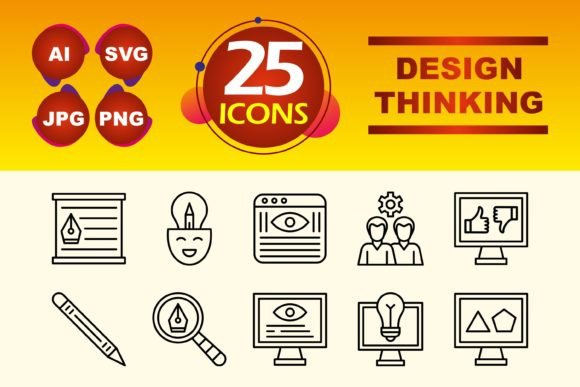
Communicating the stages of Design Thinking is crucial when collaborating with teams or presenting concepts to stakeholders. This is where a dedicated set of Design Thinking icons becomes incredibly useful. Visual symbols for concepts like "Empathy," "Ideation," "Prototype," and "Test" can instantly clarify a presentation slide, an infographic explaining the process, or a section of an app dedicated to project management.
For instance, a marketing professional creating an internal training module on customer-centric innovation could use a clean "Empathy" icon to headline the research phase. An entrepreneur pitching a new product concept might use a "Prototype" icon in their pitch deck to visually anchor the discussion around their testing phase. These icons serve as quick, universal reference points that enhance understanding.
Practical Applications in Your Projects
Design Thinking can be applied in a multitude of contexts. In a personal context, you might use it to plan a more efficient home workspace. In a creative or professional context, it’s foundational for user interface (UI) and user experience (UX) design. Educators use it to design curriculum units, and business teams apply it to develop new services or improve internal processes.
The digital aspect is particularly relevant. Whether you're designing a mobile app, a website template, or a dashboard, the principles of Design Thinking guide you to prioritize the user's journey. Starting with empathy maps to understand pain points, followed by sketching wireframes (ideation), and then using interactive mockups (prototyping) are all standard practices in digital design.
A set of Design Thinking icons, especially in a versatile Line Icon style, fits perfectly into these digital and presentation workflows. The clean, minimalist lines are ideal for modern interfaces without visual clutter. With file types like SVG for scalable web use, PNG for presentations, and AI for editable vector work, such an icon set adapts to your tool of choice. Having 10 core icons covering the key phases means you have the essential visual toolkit without excess.
Key Considerations Before You Begin
Before diving into applying Design Thinking, it’s important to remember it requires a mindset shift. It is not a rigid, one-time checklist but a flexible, often messy, process of learning. You must be willing to accept that early ideas might fail and that the real value comes from those failures informing the next iteration. Time and resources for prototyping and testing are essential.
Also, consider the scale of your problem. Design Thinking is powerful for substantive challenges, but for very simple, straightforward issues, a more direct approach might be sufficient. When learning more, look for resources that emphasize practical case studies and workshops, not just theoretical explanations.
Integrating visuals, like a dedicated icon set, can significantly aid in both practicing and teaching the methodology. Using a consistent visual language—for example, placing a "Define" icon next to your problem statement document—helps solidify the stages in your own mind and for anyone you're collaborating with. It turns an abstract process into a more concrete, manageable workflow.
Ultimately, Design Thinking empowers you to solve problems with confidence and creativity. By centering on human needs, iterating through ideas, and making concepts tangible, it transforms how you approach challenges from any angle. And when you need to communicate that process, having clear, professional icons at your fingertips makes the journey from insight to solution not just effective, but also visually compelling.