Neumorphic Infographic Elements for Clear Visual Communication
In the world of visual storytelling, clarity and aesthetic appeal are paramount. Neumorphic infographic elements represent a modern design style that combines soft, realistic shadows and highlights with clean, minimalist shapes. This design approach, often called "soft UI," gives graphical elements a gentle, extruded look that feels both digital and tactile. When applied to infographics, it creates visuals that are not only easy to understand but also visually engaging and contemporary.
The Practical Value of a Ready-Made Vector Template
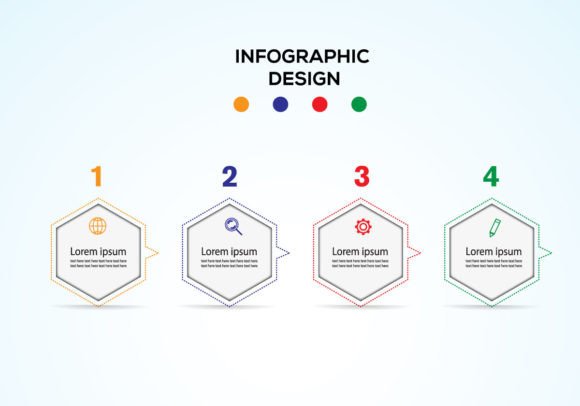
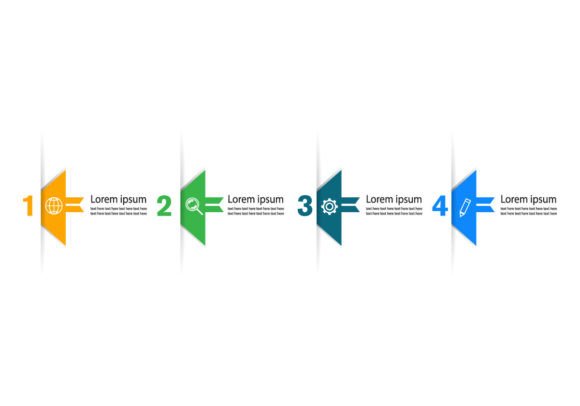
Creating a cohesive, professional infographic from scratch requires significant design skill and time. A template like the Neumorphic Infographic Elements Vector bundle provides a complete, pre-designed system. This particular collection is focused on illustrating processes, such as an evolution series or a step-by-step diagram, and includes elements perfect for crafting a creative banner. The core value lies in its structure: it's a set of editable vector graphics. Unlike a static image, a vector file (like the included EPS) can be resized to any dimension without losing quality, making it ideal for a project that might need to be a website banner, a printed poster, or a slide in a presentation.
The key features—easy to edit, well-organized layers, and compatibility with Adobe Illustrator CC—mean that even users with moderate design software experience can adapt it to their needs. You aren't just buying a picture; you're acquiring a flexible toolkit. You receive both the editable EPS source file and a JPG preview, giving you options for both editing and quick use.
Who Benefits from Neumorphic Infographic Design?
The appeal of this template spans a wide range of creators and professionals. For entrepreneurs and small business owners, it offers a way to visually explain their company's growth, product development cycle, or service workflow to clients and investors without hiring a designer. Bloggers and marketers can use these elements to create more compelling and shareable content that explains complex topics in a simple, attractive way, boosting engagement on social media or newsletters.
Educators and trainers find such templates invaluable for creating clear instructional materials, diagrams for online courses, or visual aids for presentations. The neumorphic style is particularly effective here because its soft appearance is less harsh and more inviting than stark flat designs, potentially aiding comprehension. Freelancers, from consultants to writers, can use these infographics to enhance their reports, proposals, or personal brand websites, adding a layer of professional polish. Even hobbyists working on personal projects, like a family tree evolution chart or a visual plan for a creative endeavor, can achieve a sophisticated look without advanced design skills.
Solving Common Visual Communication Problems
This template addresses several common needs. First, it solves the time constraint problem. Designing a consistent set of icons, connectors, and backgrounds for a multi-step diagram takes hours. This bundle provides those elements instantly. Second, it addresses visual consistency. When you use a pre-made, well-organized template, all your shapes, shadows, and colors follow the same design rules, resulting in a polished, professional final piece. Third, it helps overcome a skill gap. Not everyone is an expert in Illustrator or understands how to create the subtle shadows of neumorphism. This template allows you to work with a high-end style by simply customizing the text, colors, or arrangement of existing, expertly crafted elements.
Realistic Applications and Use Cases
Imagine you are preparing a keynote presentation about your company's five-year technology evolution. Using the evolution series elements from this template, you could quickly build a timeline where each stage is represented by a soft, pill-shaped container holding key milestones. The connectors between stages would have the same neumorphic aesthetic, making the progression feel smooth and intentional.
For a health blog, you might use the diagram elements to create a clear, visually appealing flowchart explaining a nutritional process. The gentle 3D effect of the elements can make the diagram feel more approachable and less clinical. A creative agency could use the banner components alongside some diagram items to design a striking homepage banner that visually outlines their creative process, immediately communicating their methodology to potential clients.
The fact that the file is in RGB color mode and 300 dpi means it's optimized for digital screens (websites, apps, videos) while still being suitable for high-quality prints if needed for brochures or conference materials. This versatility is crucial for projects that span both digital and physical mediums.
Important Considerations Before Using a Vector Template
While this neumorphic infographic template offers significant advantages, it's wise to consider a few points to ensure it fits your project. First, assess your software access. The working file is for Adobe Illustrator CC. If you don't have access to Illustrator, editing the EPS vector file will be challenging. However, the included JPG can still be used in simpler programs, though you lose the ability to resize and edit freely.
Second, think about your customization needs. The template is easy to edit, but editing still requires a basic understanding of how layers work in Illustrator and how to change colors and text. If you need to drastically alter the core shapes or the neumorphic effect itself, that will require more advanced skill. For most users wanting to change content, colors, and layout, the organized layers will make this straightforward.
Finally, consider the design style's appropriateness. The neumorphic look is modern and soft, which suits many contemporary audiences. However, for a project requiring a very formal, classic, or aggressively bold aesthetic, a different design style might be more suitable. Evaluate if this soft-ui style aligns with your brand identity or the tone of your specific message.
Moving Forward with Your Project
Starting with a professional neumorphic infographic template like this one can dramatically streamline your workflow. Begin by opening the EPS file in Illustrator and exploring the layers panel to understand how the elements are grouped. Often, such templates have separate layers for backgrounds, main shapes, connectors, and text placeholders. Experiment by changing a color on one element to see how it updates across linked shapes, or try moving a step in your evolution diagram to see how the connectors adapt. Use the JPG file as a quick reference or to import into other applications where you just need a static image.
By leveraging this designed system, you shift your focus from how to build the visual to what story the visual should tell. This allows you, whether you're a marketer, educator, or entrepreneur, to concentrate on your content and message, ensuring your information is communicated with clarity and a visually engaging, contemporary style that captures and holds your audience's attention.